Automated Email Capture via Text Message
Date: Wednesday, October 14, 2026 | Status: Live 🚀 | Availability: Courses integrated with ForeUp, ClubProphet and QETi Tee Sheets
📩 Build Your Golfer Database Automatically via SMS
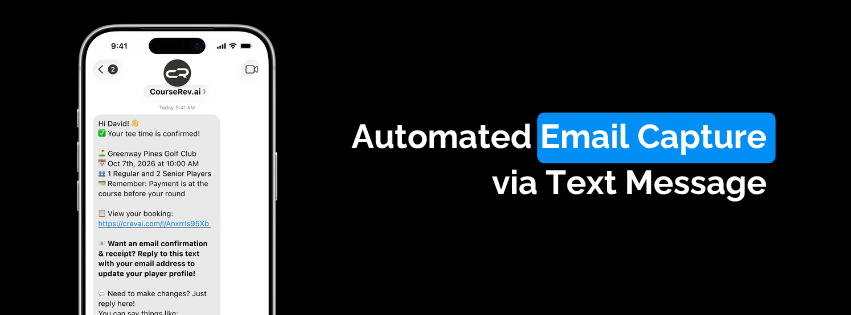
We are excited to launch Automated Email Capture via Text Message! Course managers now have a seamless, flexible way to collect golfer email addresses during the booking flow, helping you grow your marketing database while ensuring clear reservation confirmations.
📱 How It Works (Voice & Text Flows)
Voice Booking Flow: When a golfer completes a reservation over the phone with the AI Voice Concierge, the system instantly triggers an SMS to their mobile phone requesting their email address.
SMS Booking Flow: Golfers booking directly via text receive the email prompt as a natural next step in their chat conversation.
🔀 Two Customizable Capture Flows:
Courses can choose the flow that best aligns with their operational goals:
Mandatory Email Capture:
How it works: The golfer must reply to the text with a valid email address to complete and confirm their booking.
Auto-Cancellation: If the email is not provided within the designated window, the booking expires and is automatically canceled to keep your tee sheet open for active bookers.
Optional Email Capture:
How it works: The golfer is invited via SMS to share their email address to receive a detailed digital confirmation receipt.
Frictionless: The tee time remains securely booked regardless of whether the golfer submits their email.
💡 Why This Matters:
Database Growth: Effortlessly collect clean, verified golfer email addresses directly through text interactions.
Tee Sheet Protection: Mandatory mode prevents unverified or placeholder bookings from holding valuable spots on your sheet.
Better Guest Experience: Golfers receive instant email receipts and confirmations directly in their inbox.
🛠️ Getting Started:
To enable SMS email capture or switch between Mandatory and Optional modes, contact your assigned Courserev Account Manager. They will configure the setting to match your course's workflow.