How to Pay Your CourseRev Invoice
Written By Courserev Help
Last updated About 2 months ago
Paying your monthly CourseRev statement is quick, secure, and hassle-free. Our billing process is entirely digital, allowing you to settle your account online in just a few clicks.
Step-by-Step: How to Process Your Payment
Check Your Email: At the beginning of every month, our Billing team sends an email containing your invoice for the previous month's service to your registered billing address.
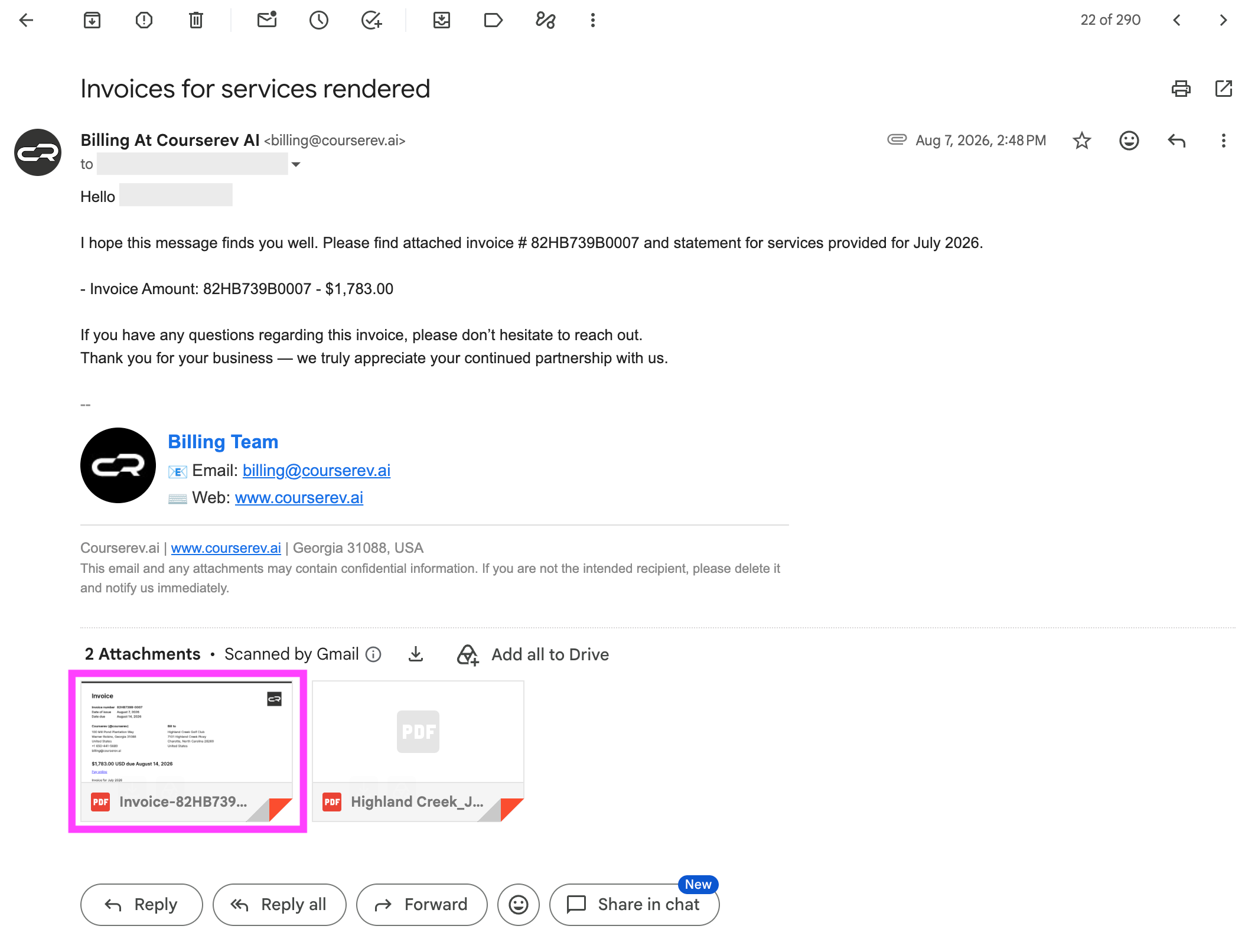
Open the PDF Attachment: Open the PDF invoice attached to the billing email.
Click the Payment Link: On the PDF document, locate and click the "Pay online!" link.
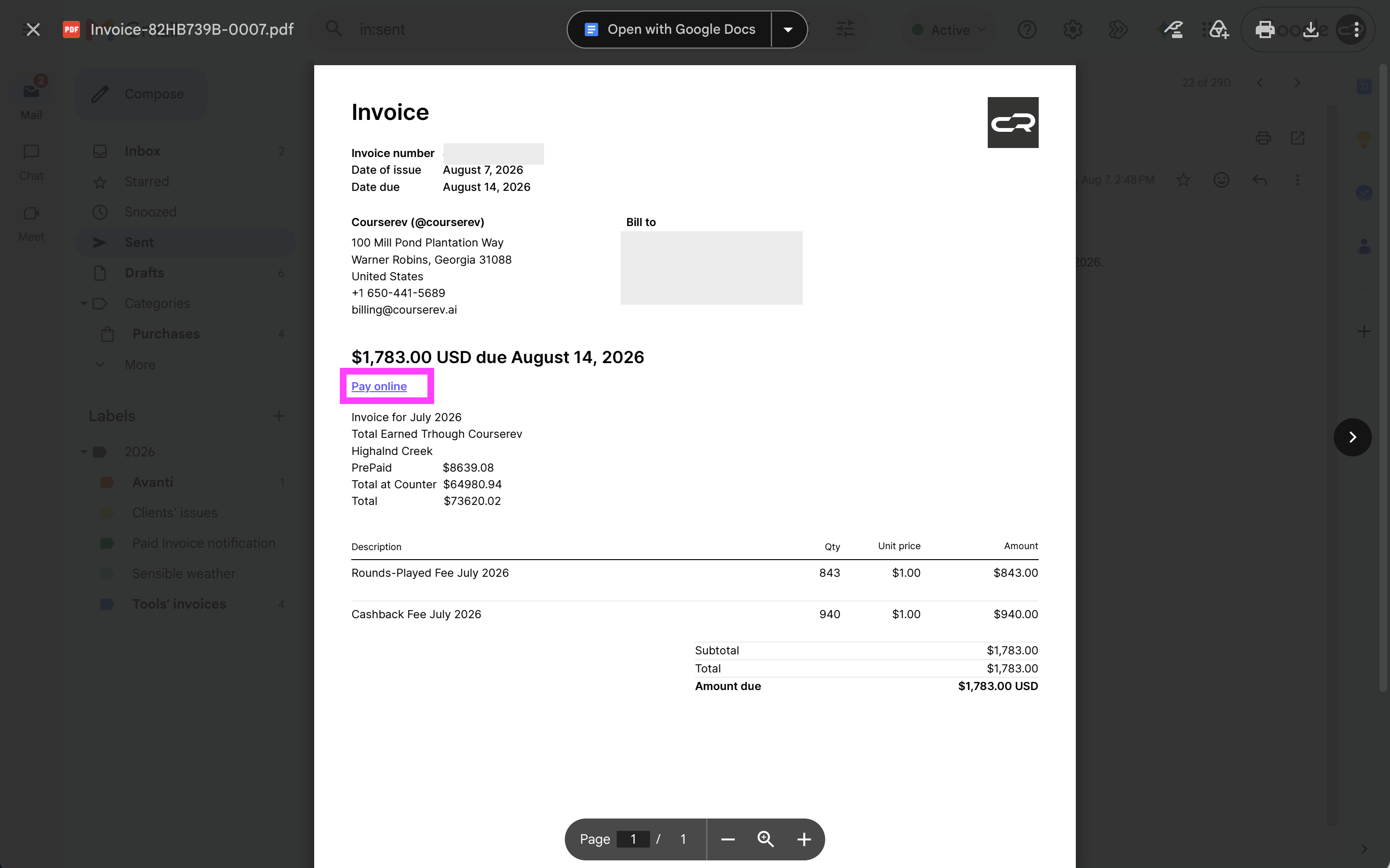
Complete the Transaction: The link will automatically open a secure payment window in your web browser. From there, choose your preferred payment method:
Credit Card: Pay instantly using any major credit card.
Bank Transfer: Complete the payment via direct electronic funds transfer.
Need Help or Have Billing Questions?
Didn't receive your invoice? Check your junk or spam folder, or contact our team to confirm your primary billing email address.
Have a question about a line item? Reach out directly to our Billing Department or your dedicated Account Manager, or email us at billing@courserev.ai.
Was this helpful?
Still need help? Share an idea