Custom Actions
Written By Courserev Help
Last updated 3 months ago
Custom Actions allow you to create smart automation rules for specific customer inquiries. By setting up simple triggers, you can instruct the AI to automatically forward a phone call or send a text message (SMS) the moment a golfer mentions specific keywords.
This ensures your customers get immediate, specialized help for things the AI doesn't handle directly, completely hands-free.
Real-World Examples
Call Forwarding Rule: If a golfer calls and says, "I'd like to book a table for four tonight," the AI detects the word "restaurant" or "menu" and automatically transfers the phone call directly to your restaurant manager's line.
SMS Automated Rule: If a golfer asks about your wedding packages, the AI can instantly text a link to your digital catering brochure straight to their smartphone.
Managing Custom Actions in Dashboard v2
You can now build, edit, and track these rules yourself. Navigate to Settings > AI & Automation and select Custom Actions.
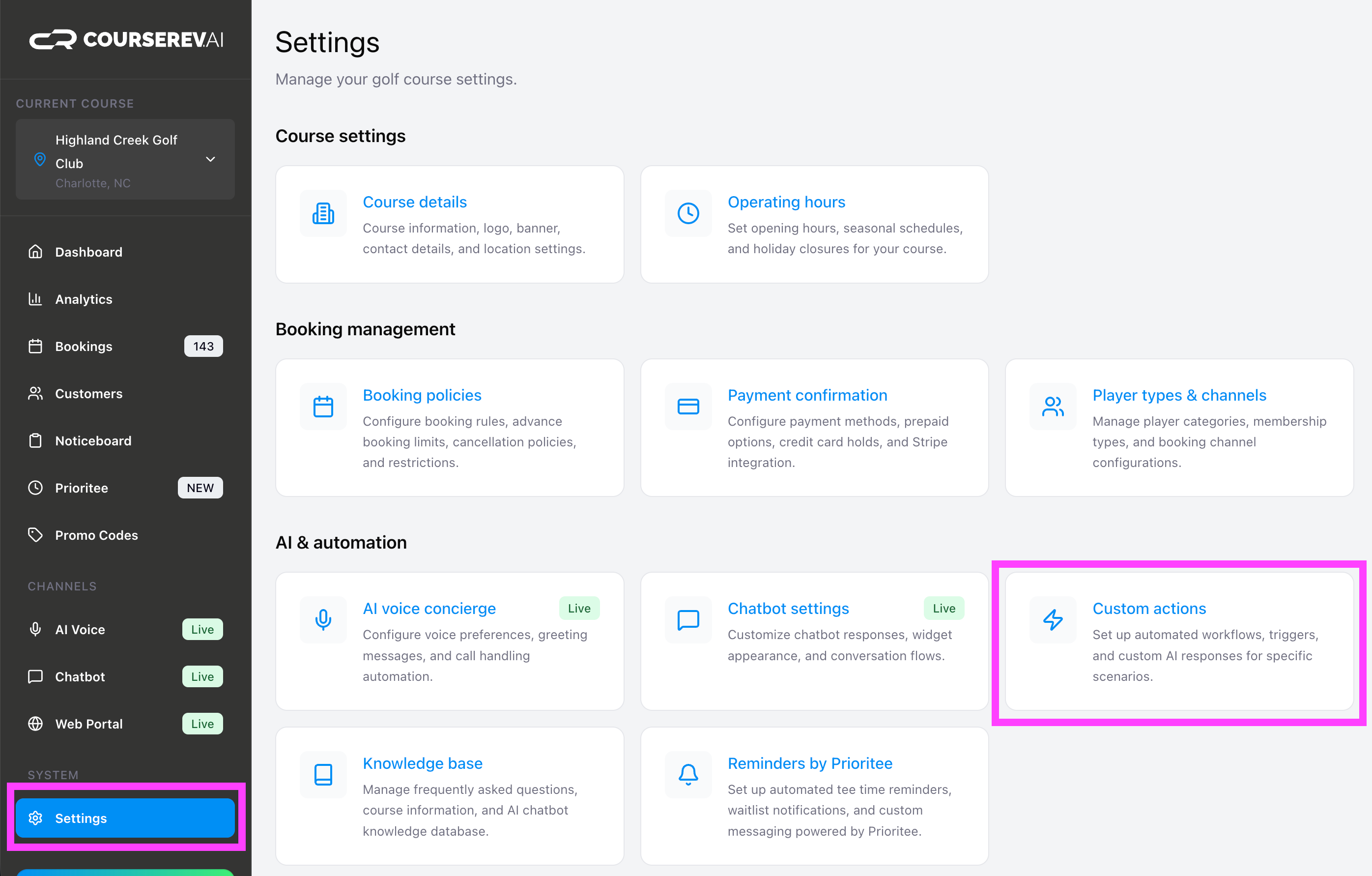
The page is split into two straightforward sections:
1. Current Active Actions (Top)
At the top of the screen, you will see a convenient list of all the custom workflows currently running for your course. You can review, edit, or delete any existing rule from this list.
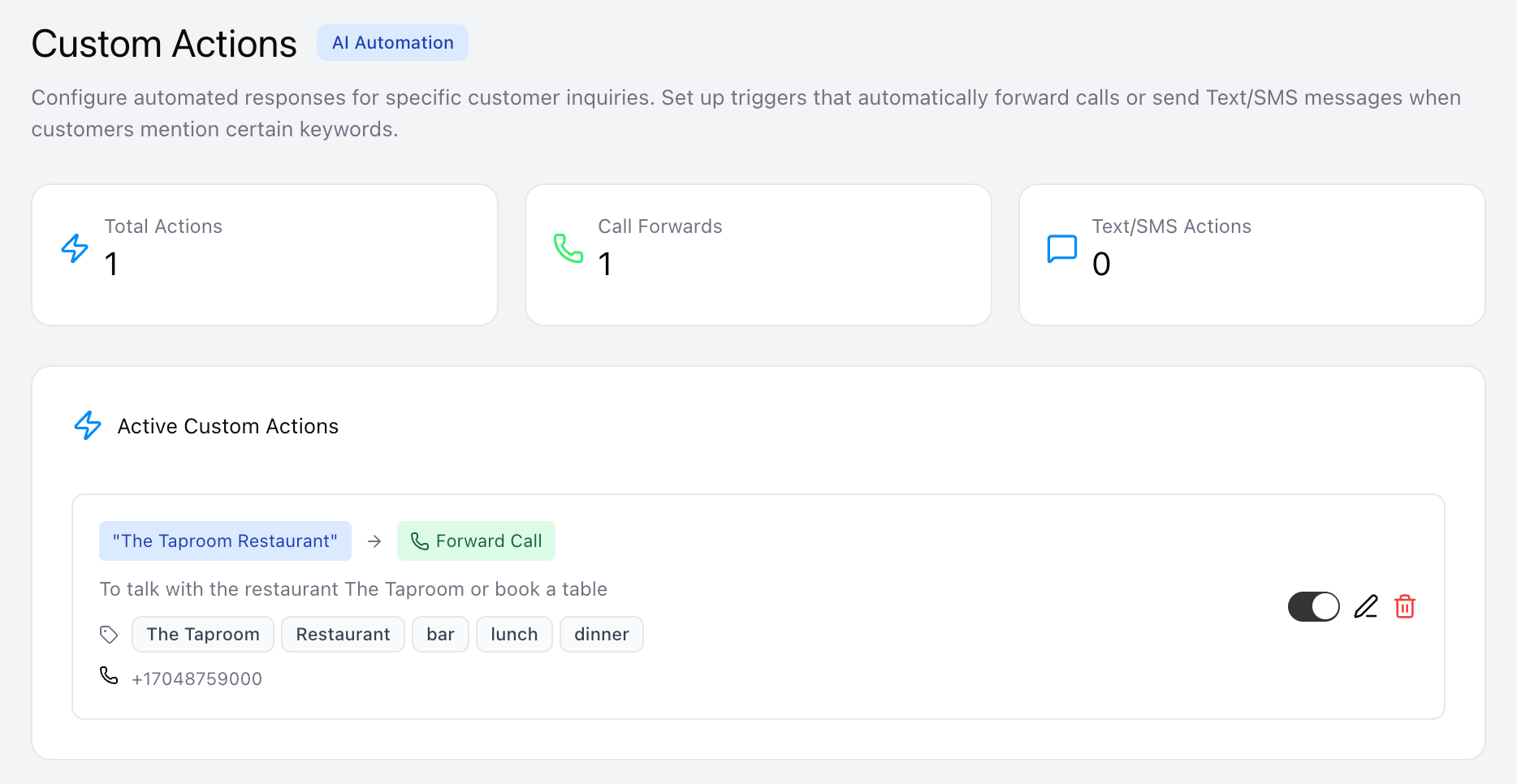
2. Create a New Custom Action (Bottom)
To build a brand new automation route, scroll to the bottom section and fill out the following fields:
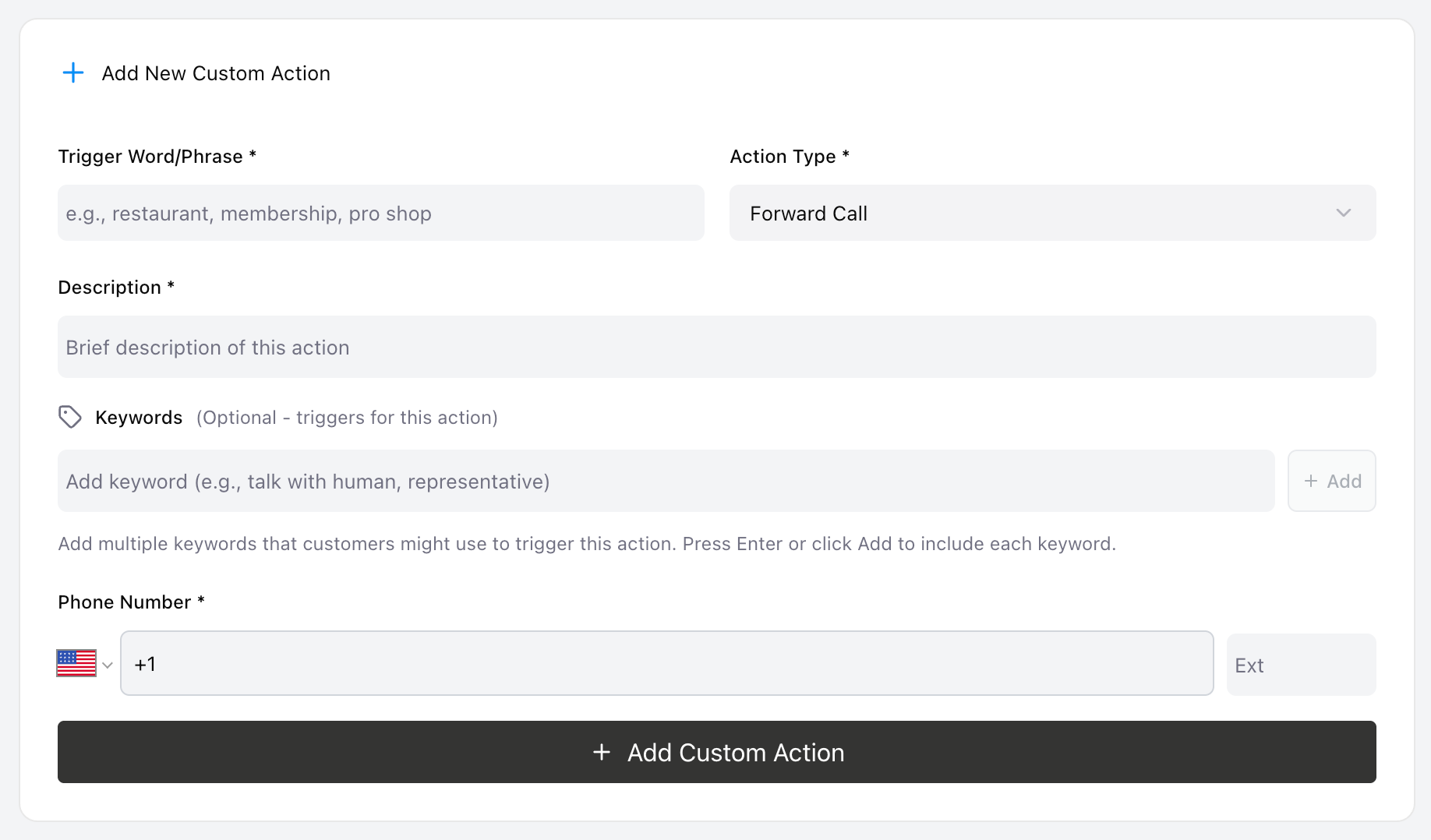
Trigger Word or Phrase: Define the core topic (e.g., "Restaurant" or "Pro Shop").
Description: A quick internal note for your staff explaining what this rule does.
Keywords: List all the variations a golfer might say. For example, if the topic is your restaurant, you might include:
restaurant, food, menu, lunch, dinner, cafe, reservations.Select Action: Choose what the system should do when those keywords are triggered:
👉 Option A: Forward Call: Enter the destination phone number. The AI will seamlessly transfer the live caller to that line.
👉 Option B: Send Text/SMS: Type out the exact text message you want the golfer to receive on their mobile device.
💾 Pro Tip: Make sure your keyword list covers standard synonyms! The more comprehensive your keywords are, the better the AI will be at catching the customer's intent and routing them successfully.