Web Portal Channel
Written By Courserev Help
Last updated 5 months ago
The Web Portal Channel page is your command center for monitoring your automated booking website. From here, you can track performance in real-time, analyze user behavior, and monitor how effectively your site converts visitors into confirmed tee times.
1. Overview & Real-Time Status
At the top of the page, you can monitor the health and performance of your booking site at a glance:
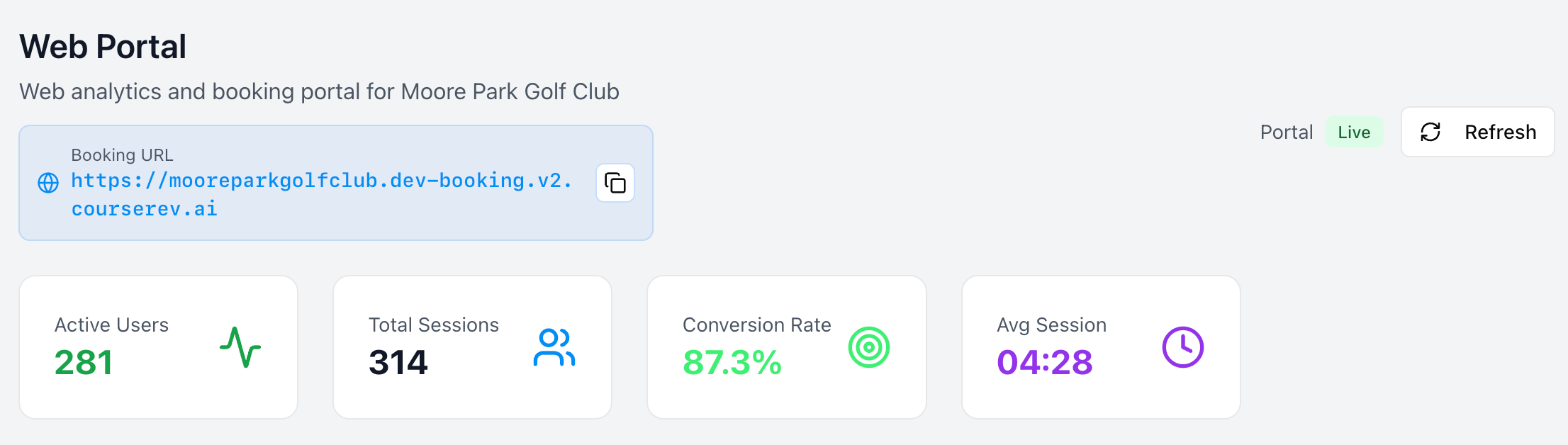
Channel Status: See if your Web Portal is Active or Disabled. This allows you to open or close your online booking window instantly.
Key Performance Metrics:
Active Users: How many golfers are currently browsing your tee sheet.
Total Sessions: The total number of visits to your portal.
Conversion Rate: The percentage of visitors who successfully complete a booking.
Average Session Duration: How long golfers typically spend on your site before finishing their reservation.
2. User Sessions History
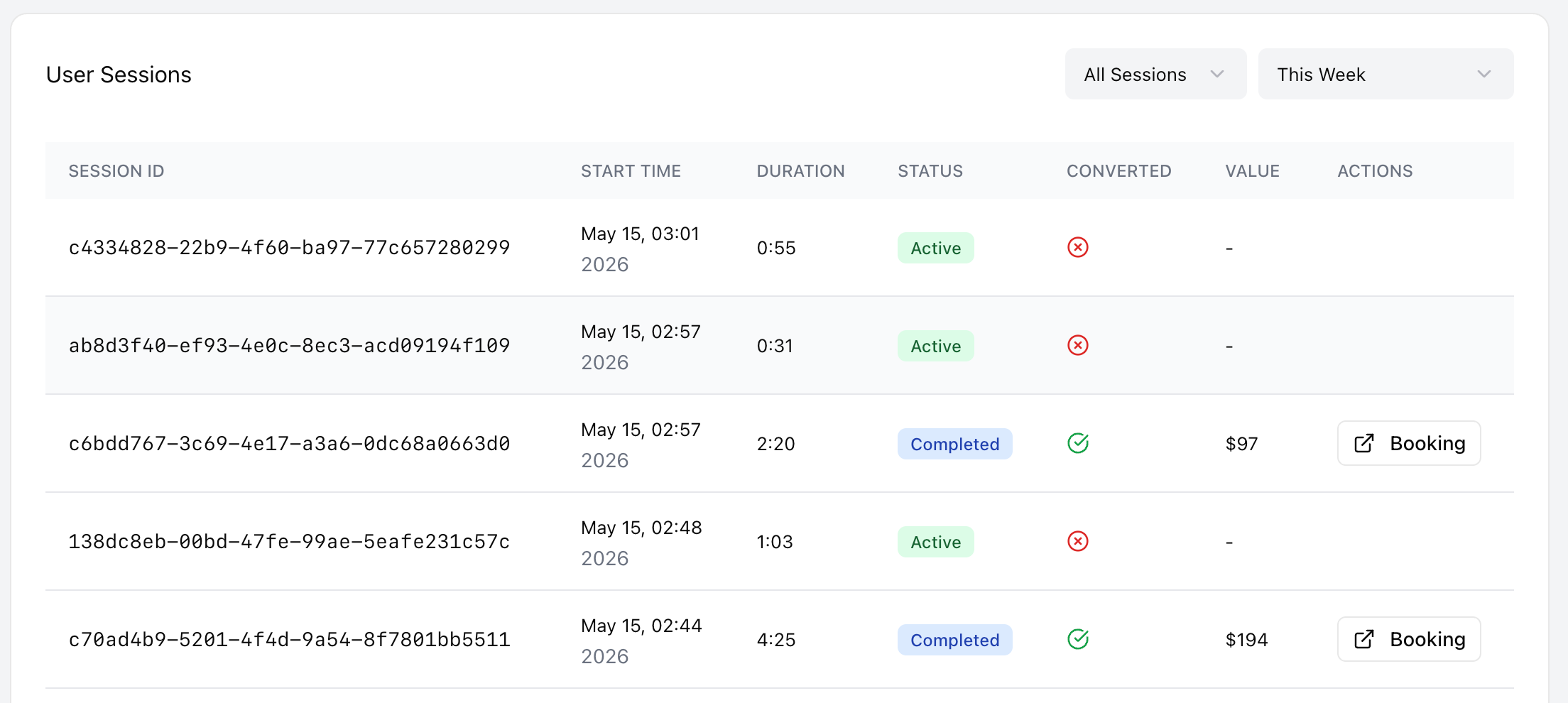
This section is a comprehensive archive of every interaction golfers have had with your web booking page. It is a powerful tool for understanding your "online traffic."
Filtering Your Data
You can narrow down the history to find exactly what you need:
By Status: Filter by All, Active (currently on the site), or Completed sessions.
By Date: View traffic for a specific day or a custom date range.
Session Table Breakdown
The table provides the following details for every visit:
Session ID: The unique reference number for that specific visit.
Start Time: The exact moment the user landed on your booking page.
Duration: How long the user spent navigating your tee sheet.
Converted: A simple Yes/No indicator showing if the user finalized a booking.
Value: If the session was converted, this shows the total dollar amount of the booking.
Actions:
View Booking: If a session resulted in a reservation, click this button to jump directly to the Booking Details page for that customer.
Was this helpful?
Still need help? Share an idea